
GanzVision Mobile7.0.1.80665 - App Store
You'll be able to see results in few seconds.
Publisher Description
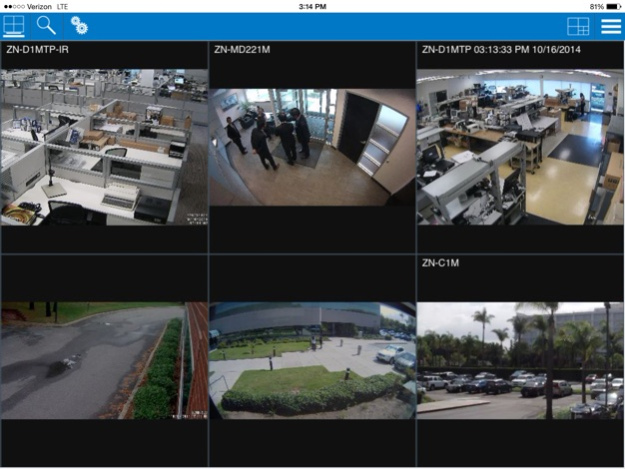
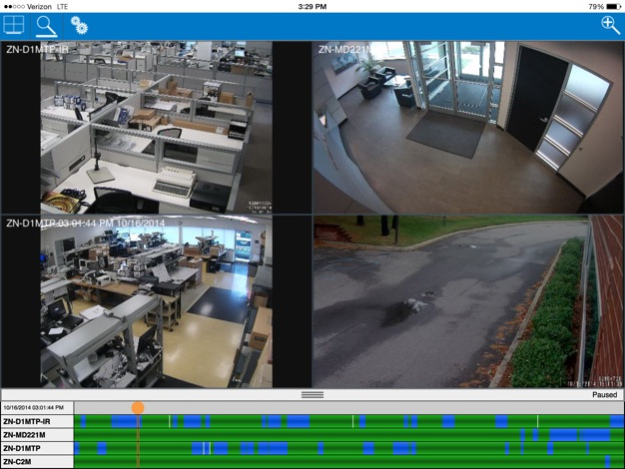
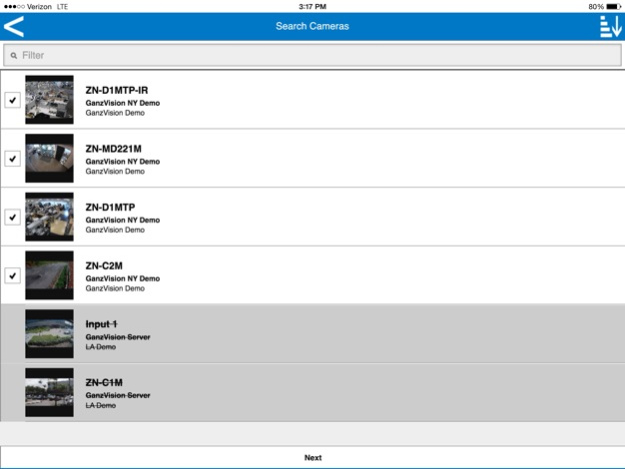
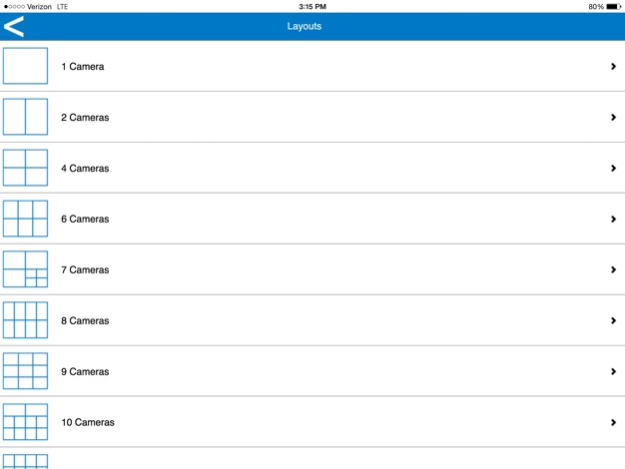
GanzVision Mobile allows users to view live and recorded video from GanzVision IP and hybrid servers. Connect and view up to 48 surveillance cameras from multiple GanzVision servers through the free GanzVIsion Web service. Control PTZ (Pan-Tilt-Zoom) cameras, monitor and control triggers. View and search video, and more from your mobile device.
Jul 9, 2015
Version 7.0.1.80665
This app has been updated by Apple to display the Apple Watch app icon.
Feature;
- Event monitoring
- Enforcement of user permissions
- Setting to disable loading of thumbnails in camera lists
- Requesting cached thumbnails instead of live frame
- Display status frame borders on video panels
- Option to search based on server time when timezone is different then clients
- Swipe left or right with 2 fingers on the live page to cycle through cameras
- Ability to change PTZ speed settings on a per camera basis from any focus video panel
Enhancement;
- Changed the "available Web Servers" and "Available Systems" buttons to "configure Web Servers", and "Configure Systems" to be more explicit about their purpose
- Use new method for determining if a web service feature is available
- Synchronized version numbers across products (Server, Client, Web)
Bug Fix;
- Allow live sidebar menu to be scrolled
- Improved tap event responsiveness
- Video on screen display displays the timezone properly
- Video on screen display will always show the server time
- Corrected whitespace on 2 translation strings
- Corrected issue where previously viewed cameras could take a long time to populate on application start when connecting to multiple web services
About GanzVision Mobile
The company that develops GanzVision Mobile is CBC (America). The latest version released by its developer is 7.0.1.80665.
To install GanzVision Mobile on your iOS device, just click the green Continue To App button above to start the installation process. The app is listed on our website since 2015-07-09 and was downloaded 0 times. We have already checked if the download link is safe, however for your own protection we recommend that you scan the downloaded app with your antivirus. Your antivirus may detect the GanzVision Mobile as malware if the download link is broken.
How to install GanzVision Mobile on your iOS device:
- Click on the Continue To App button on our website. This will redirect you to the App Store.
- Once the GanzVision Mobile is shown in the iTunes listing of your iOS device, you can start its download and installation. Tap on the GET button to the right of the app to start downloading it.
- If you are not logged-in the iOS appstore app, you'll be prompted for your your Apple ID and/or password.
- After GanzVision Mobile is downloaded, you'll see an INSTALL button to the right. Tap on it to start the actual installation of the iOS app.
- Once installation is finished you can tap on the OPEN button to start it. Its icon will also be added to your device home screen.
Program Details
System requirements
Download information
Pricing
Version History
version 7.0.1.80665
posted on 2015-07-09
Jul 9, 2015 Version 7.0.1.80665
This app has been updated by Apple to display the Apple Watch app icon.
Feature;
- Event monitoring
- Enforcement of user permissions
- Setting to disable loading of thumbnails in camera lists
- Requesting cached thumbnails instead of live frame
- Display status frame borders on video panels
- Option to search based on server time when timezone is different then clients
- Swipe left or right with 2 fingers on the live page to cycle through cameras
- Ability to change PTZ speed settings on a per camera basis from any focus video panel
Enhancement;
- Changed the "available Web Servers" and "Available Systems" buttons to "configure Web Servers", and "Configure Systems" to be more explicit about their purpose
- Use new method for determining if a web service feature is available
- Synchronized version numbers across products (Server, Client, Web)
Bug Fix;
- Allow live sidebar menu to be scrolled
- Improved tap event responsiveness
- Video on screen display displays the timezone properly
- Video on screen display will always show the server time
- Corrected whitespace on 2 translation strings
- Corrected issue where previously viewed cameras could take a long time to populate on application start when connecting to multiple web services
version 7.0.1.80665
posted on 2015-07-09
Jul 9, 2015 Version 7.0.1.80665
This app has been updated by Apple to use the latest Apple signing certificate.
Feature;
- Event monitoring
- Enforcement of user permissions
- Setting to disable loading of thumbnails in camera lists
- Requesting cached thumbnails instead of live frame
- Display status frame borders on video panels
- Option to search based on server time when timezone is different then clients
- Swipe left or right with 2 fingers on the live page to cycle through cameras
- Ability to change PTZ speed settings on a per camera basis from any focus video panel
Enhancement;
- Changed the "available Web Servers" and "Available Systems" buttons to "configure Web Servers", and "Configure Systems" to be more explicit about their purpose
- Use new method for determining if a web service feature is available
- Synchronized version numbers across products (Server, Client, Web)
Bug Fix;
- Allow live sidebar menu to be scrolled
- Improved tap event responsiveness
- Video on screen display displays the timezone properly
- Video on screen display will always show the server time
- Corrected whitespace on 2 translation strings
- Corrected issue where previously viewed cameras could take a long time to populate on application start when connecting to multiple web services
version 7.0.1.80665
posted on 2015-07-09
Jul 9, 2015 Version 7.0.1.80665
Feature;
- Event monitoring
- Enforcement of user permissions
- Setting to disable loading of thumbnails in camera lists
- Requesting cached thumbnails instead of live frame
- Display status frame borders on video panels
- Option to search based on server time when timezone is different then clients
- Swipe left or right with 2 fingers on the live page to cycle through cameras
- Ability to change PTZ speed settings on a per camera basis from any focus video panel
Enhancement;
- Changed the "available Web Servers" and "Available Systems" buttons to "configure Web Servers", and "Configure Systems" to be more explicit about their purpose
- Use new method for determining if a web service feature is available
- Synchronized version numbers across products (Server, Client, Web)
Bug Fix;
- Allow live sidebar menu to be scrolled
- Improved tap event responsiveness
- Video on screen display displays the timezone properly
- Video on screen display will always show the server time
- Corrected whitespace on 2 translation strings
- Corrected issue where previously viewed cameras could take a long time to populate on application start when connecting to multiple web services
version 7.0.1.80665
posted on 2013-07-10
version 7.0.1.80665
posted on 1970-01-01
2015年7月9日 Version 7.0.1.80665
This app has been updated by Apple to use the latest Apple signing certificate.
Feature;
- Event monitoring
- Enforcement of user permissions
- Setting to disable loading of thumbnails in camera lists
- Requesting cached thumbnails instead of live frame
- Display status frame borders on video panels
- Option to search based on server time when timezone is different then clients
- Swipe left or right with 2 fingers on the live page to cycle through cameras
- Ability to change PTZ speed settings on a per camera basis from any focus video panel
Enhancement;
- Changed the "available Web Servers" and "Available Systems" buttons to "configure Web Servers", and "Configure Systems" to be more explicit about their purpose
- Use new method for determining if a web service feature is available
- Synchronized version numbers across products (Server, Client, Web)
Bug Fix;
- Allow live sidebar menu to be scrolled
- Improved tap event responsiveness
- Video on screen display displays the timezone properly
- Video on screen display will always show the server time
- Corrected whitespace on 2 translation strings
- Corrected issue where previously viewed cameras could take a long time to populate on application start when connecting to multiple web services
Disclaimer
Official App Store Link
We do not host GanzVision Mobile on our servers. We did not scan it for viruses, adware, spyware or other type of malware. This app is hosted by Apple and passed their terms and conditions to be listed there. We recommend caution when installing it.
The App Store link for GanzVision Mobile is provided to you by apps112.com without any warranties, representations or guarantees of any kind, so access it at your own risk.
If you have questions regarding this particular app contact the publisher directly. For questions about the functionalities of apps112.com contact us.
